
Sacramento Bee News California
McClatchyNews & Magazines
3.1429.00 Reviews
- Version
- 11.1.16
- Installs
- 50.00K
- Age Rating
- Everyone 10+
Screenshots



Our Review of Sacramento Bee News California
 Analysis by Appyee
When I want to understand what is happening around Sacramento, I need more than a stream of national headlines. I want local reporting that helps me connect a citywide story to the places, teams, and everyday routines I care about. That is the role the Sacramento Bee Newspaper app aims to fill: a mobile home for regional news, sports, weather, and other coverage from McClatchy. I see it as most useful when Sacramento is the subject, not just a location attached to a broad news feed.
Choosing a local starting point
The first useful decision is whether I am looking for a quick check-in or a longer reading session. For the first, I can open the app and scan for the latest developments; for the second, I can follow a local story as it grows and look for related coverage. That distinction matters because a local news app earns its place on my phone through context: the names, neighborhoods, public issues, and sports that a national outlet may not follow closely.
In practice, I would use it before heading out, during a quiet break, or after hearing about a local issue from a neighbor. If weather could affect a commute or outdoor plans, checking the app alongside a forecast source can help me decide whether I need more detail. I would still rely on an official alert for urgent safety instructions; a news app is a way to follow reporting, not a substitute for emergency guidance.
From opening the app to finding a story
Have you ever found yourself yearning for a touch of Sacramento in your daily news feed? Well, let me introduce you to an app that brings just that. The Sacramento Bee Newspaper app is like having a pocket-sized version of the local paper, offering news, sports, entertainment, and more, all at your fingertips.
Getting Started with Sacramento Bee
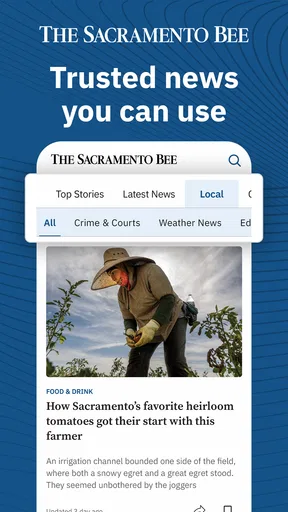
The first thing you'll notice when you download the app is how easy it is to get started. Once you open the app, you're greeted with a clean and intuitive interface. It's like walking into a well-organized newsroom. You can sign in or create an account if you're a subscriber, or browse as a guest to get a feel for the content. The setup is straightforward, and the app guides you through the process without any hiccups.
It is worth deciding early whether you want an account-based reading routine or only occasional access. The app is free to download, but it also lists in-app purchases ranging from $7.99 to $159.99 per item, so I would check the purchase details shown in the app before committing to anything. That keeps the choice clear: try the experience first, then decide whether any paid option suits how often you read. The app is rated Everyone 10+, which is useful context for families deciding whether it belongs on a shared device.
Building a useful daily reading route
Rather than opening every section in turn, I would make a small habit of checking the areas that matter to my day. A Sacramento resident might scan local coverage first, then check sports or weather only when there is a practical reason. Someone following the Kings could make that a regular stop, while a reader who mainly wants civic updates can spend more time on community and public-affairs reporting. This keeps a local paper from becoming another endless scroll.
The strongest workflow is to start with a headline, read the full article when the issue affects you, then save or share it only if you have a clear reason to return to it or discuss it. For example, if a story concerns a change that may affect a neighborhood, I would read beyond the headline before sending it to a group chat. The extra step avoids passing along a partial impression, and it gives the article’s details room to clarify what is known and what remains developing.
Features That Stand Out
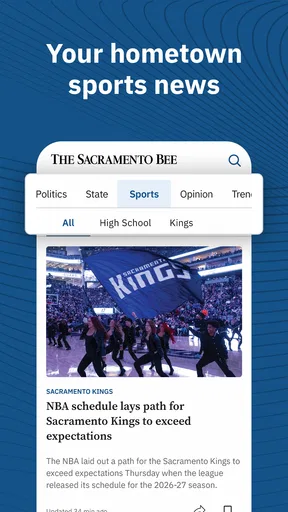
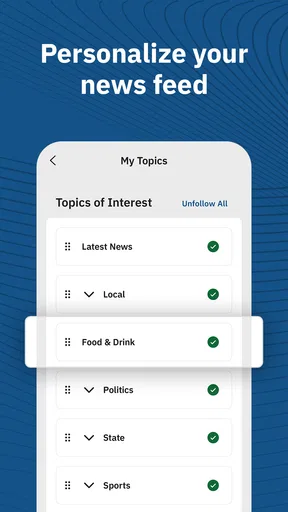
Now, let's talk features. The app offers a wide array of content categories, from local news to national headlines, sports, and lifestyle pieces. One thing I really appreciate is the personalized news feed. It learns your preferences over time, so if you're like me and love keeping up with Sacramento Kings updates, the app makes sure you’re not missing out on the latest game highlights.
Another cool feature is the breaking news alerts. The app sends notifications straight to your phone, ensuring you’re always in the know. Whether it's a major event happening downtown or a new restaurant opening, you’ll get the scoop as soon as it hits the wire.
Making alerts work for you
Notifications are most helpful when they serve a purpose rather than interrupt every quiet moment. I would treat them as a prompt to check a developing local story, not as a complete account of it. If a headline catches my attention, opening the full article gives me context; if it does not affect my plans or interests, I can leave it for a later reading session. This is a practical way to stay aware without letting news alerts take over the day.
For a realistic weekday routine, imagine hearing about a road disruption before leaving home. I would check the app for local reporting, then compare the information with a live navigation tool before choosing a route. The handoff matters: the newspaper can explain the event and its local significance, while navigation software is usually better for turn-by-turn decisions. Using each source for what it does best is more dependable than expecting one app to answer every question.
User Experience and Design
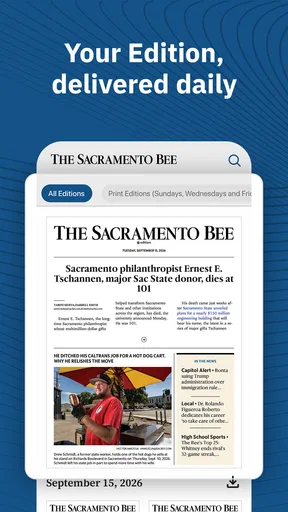
Let’s talk about the design. The app sports a sleek and modern look, making navigation a breeze. Articles are easy to read, with adjustable text sizes to fit your viewing comfort. The image quality is top-notch, offering vibrant visuals that complement the stories perfectly. It's like reading a digital magazine, but with all the benefits of a traditional newspaper.
One feature I found particularly handy was the offline reading option. You can download articles to read later, which is perfect for those times when you're on the go and don't have access to Wi-Fi.
Planning around a weak connection
Offline reading is especially useful if I know I will be underground, travelling through an area with unreliable service, or trying to reduce dependence on a live connection during a commute. I would prepare before leaving by downloading the pieces I actually intend to read, rather than assuming an entire feed will be available offline. That small choice makes the feature more dependable and avoids discovering mid-journey that the article I wanted still needs a connection.
Text-size adjustment is another practical detail for longer sessions. I would set it once to a comfortable size before settling in, rather than repeatedly changing it while moving between stories. The design may make reading feel closer to a newspaper or magazine than a rapid-fire social feed, but image-heavy pages can still be less convenient when I am trying to skim quickly or conserve attention. For a one-line update, a concise alert may be faster; for local context, the article format is the better trade.
When the story leaves the app
Engagement is a big deal with this app. The comment section is alive and buzzing, providing a space for readers to share their thoughts and opinions. It’s like having a little community within the app, where you can discuss articles with fellow readers. Plus, there’s an option to share articles directly to social media platforms, making it easy to spread the word on stories that matter to you.
For those who like to stay informed about community events, the app has a dedicated section for local happenings. Whether it’s a concert, festival, or a farmers’ market, you’ll find all the details here.
Those community tools create a useful handoff from reading to conversation: I can take a story into a discussion, or use an event listing as a starting point for planning a weekend. I would still verify practical details such as timing and arrangements before making plans, especially when an event is important to me. A listing helps me discover what is happening; it should not be the only step in organizing the outing.
How it compares with broader news apps
Compared with a general news aggregator, this app makes more sense when I want Sacramento to remain the center of my reading. Aggregators are convenient for scanning many publishers and national subjects in one place, but their breadth can push local reporting out of view. A local newspaper app makes the opposite trade: it narrows the geographic lens so local stories and sports are easier to seek out, while it is less suited to someone who wants a single feed covering every region and topic.
It is also different from a social feed, where local news may arrive mixed with opinion, personal updates, and reposts. Here, I can start with a news article and then choose whether to read comments or share it. That separation is helpful when I want reporting first and discussion second. If my main goal is simply to see what friends are posting, a social app is more direct; if I want a steadier local-news habit, this is the more focused option.
Where the routine can become frustrating
The main limitation is that a local focus is not automatically the right fit for every reader. If I live far from Sacramento or rarely follow events there, much of the app’s purpose may feel less relevant than a national or regional news service. Even for a local reader, the best experience depends on whether the available coverage matches the subjects I care about; no single publication can make every beat equally important to every person.
The low average rating is a reason to approach it with realistic expectations rather than assume every reader will find the experience smooth. With an average rating of 1.9 from 834 ratings, there is a clear signal that some users have been dissatisfied. That does not tell me exactly what will happen on my device, so I would test the parts I personally need—opening articles, receiving alerts, and using any reading options—before building the app into an essential routine.
There is also a version and device consideration. The current version is 11.1.2, and the app requires iOS or Android 8.0 or later. It has more than 50,000 installs, which shows that it has reached a substantial group of readers, but I would still check that my device is compatible and updated before troubleshooting an issue. McClatchy is the developer behind it, and the app has been available since April 1, 2011, so this is an established local-news product rather than a newly launched experiment.
Who will get the most from it
I would recommend it most to Sacramento-area readers who want a familiar place to check local reporting, follow the Kings, keep an eye on regional weather, or discover community happenings. It can also suit former residents and people with family or work ties to the area who want Sacramento news in their regular reading mix. The best fit is someone willing to return to the app for local context, not someone expecting it to replace every news, weather, event, and navigation service they use.
I would skip it if I wanted a highly customized national briefing, broad international coverage, or a fast, unfiltered stream of updates from many publishers. In those cases, a general news app may save time. I would also avoid relying on it as my only source for time-critical travel or safety decisions: use local reporting to understand what is happening, then consult the appropriate live service or official source for the action itself.
Final Thoughts
In conclusion, the app offers a comprehensive news experience tailored to the needs of Sacramento locals and beyond. It's user-friendly, packed with relevant features, and delivers news in a timely manner. Whether you're a news junkie or a casual reader, this app has something for everyone. So, if you haven't already, give it a try and stay connected with what's happening in and around Sacramento. Happy reading!
My recommendation is more specific: try it if Sacramento coverage is something you actively want in your day, and judge it by how well it supports your own routine. I would begin with a guest browse, identify the sections I genuinely return to, and keep notifications selective. If those steps make it easier to understand local stories or plan around community news, it has earned a place on my phone. If I mostly need broad headlines or instant logistical updates, I would pair it with—or choose—tools designed for those jobs instead.
Verdict
Strengths of Sacramento Bee News California
- Comprehensive local news coverage.
- User-friendly and intuitive interface.
- Timely push notifications for updates.
- High-quality images and videos.
- Offline reading mode available.
Limitations of Sacramento Bee News California
- Limited international news coverage.
- Subscription required for premium content.
- Occasional ad interruptions.
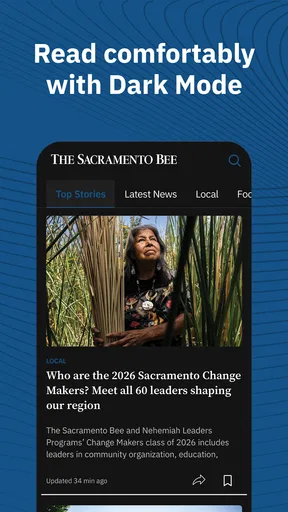
- No dark mode option.
- App size may be large for some devices.
Other Releases by McClatchy
View All
Fort Worth Star-Telegram News
News & Magazines3.0

The Charlotte Observer | News
News & Magazines2.7

Kansas City Star | Local News
News & Magazines2.8

Miami Herald Latest Local News
News & Magazines3.9
Similar Picks in This Category
View All
Google News - Daily Headlines
Google LLC4.0

X
X Corp.4.8

Flipboard:Your Social Magazine
Flipboard3.4

Opera News: breaking & local
Opera4.5

Hindi News by Dainik Bhaskar
Dainik Bhaskar Group4.0

Way2News Daily News App
Way2News ( Formerly Way2SMS )4.6
Frequently Asked Questions
What is the Sacramento Bee Newspaper app?
The Sacramento Bee Newspaper app is a digital platform that provides access to the latest news, articles, and features from the Sacramento Bee publication. It offers users real-time updates on local, national, and international news, as well as opinion pieces, lifestyle content, and multimedia features. The app is designed for convenience and accessibility, allowing users to stay informed on the go.
Is the Sacramento Bee Newspaper app free to use?
The Sacramento Bee app is free to download, but it typically operates on a subscription model for full access. Users can browse headlines and read some articles for free, but a subscription is usually required for unlimited access to all content. Subscription options often include monthly and annual plans, with the potential for promotional offers or trials.
What features does the Sacramento Bee app offer?
The app offers a variety of features designed to enhance the reading experience. These include personalized news alerts, offline reading capabilities, and a user-friendly interface. Additionally, the app may offer multimedia content such as videos and photo galleries, as well as interactive sections like opinion polls and comment sections for user engagement.
Can I customize my news feed on the Sacramento Bee app?
Yes, the Sacramento Bee app typically allows users to customize their news feed based on their interests. Users can select preferred topics and sections to receive tailored news alerts and updates. This personalization feature helps users focus on the content most relevant to them, ensuring a more engaging and efficient news consumption experience.
Is the Sacramento Bee app available on both Android and iOS?
Yes, the Sacramento Bee app is available for both Android and iOS devices. Users can download the app from the Google Play Store for Android devices and the Apple App Store for iOS devices. Ensuring compatibility across platforms allows a wider audience to access the app’s comprehensive news coverage.
